
Why Your Home Router Might Be a Hacker’s Favorite Target in Terms of Home Router Security
Did you know that 47% of internet users in the UK have never changed their router’s default settings?
(Source: Daily Record)
Consider the implications of not changing these settings. In a world where your personal information can be worth more than gold, an unsecured router can lead to financial loss and identity theft.
For example, hackers can intercept your online banking sessions or steal your login credentials, putting your financial security at serious risk.
In fact, there have been numerous reports of individuals falling victim to home router breaches that led to unauthorized transactions and personal data exposure.
The number of connected devices in our homes is skyrocketing. From smart light bulbs to security cameras, each device can be a potential entry point for hackers. A compromised router can jeopardize the security of all connected devices.
Understanding home router security is essential to protecting your personal information.
To illustrate, consider a scenario where a hacker gains access to your smart thermostat. They could manipulate the settings to increase your energy bills or even disable your heating in winter.
That means nearly half of all households could be exposing sensitive data, work files, and personal devices to hackers — all because of an insecure home router.
In today’s hyperconnected world, where your smart TV, thermostat, phone, and work laptop rely on Wi-Fi, your router isn’t just a gateway to the internet — it’s a critical security layer for home router security.
And when left unsecured, it’s like leaving your digital front door wide open.
The Hidden Risk in Your Home Wi-Fi Setup
Most routers come with default factory settings that are generic, outdated, or even vulnerable to known exploits. Many people never change these settings — not out of laziness, but because they don’t realize the risk.
Cybercriminals do.
In fact, unsecured routers are now a top target for hackers using them to launch larger attacks, steal credentials, or spy on your traffic.
As a cybersecurity strategist and author of A CISO Guide to Cyber Resilience, I tell every client this:
Moreover, securing your router doesn’t just protect your home network; it also safeguards your work-from-home environment, which has become increasingly vital in today’s economy.
Cyber resilience starts at home. And your router/firewall is the first line of defense.
Consider implementing WPA3 encryption, which offers improved security features over WPA2, including increased resistance to offline dictionary attacks.
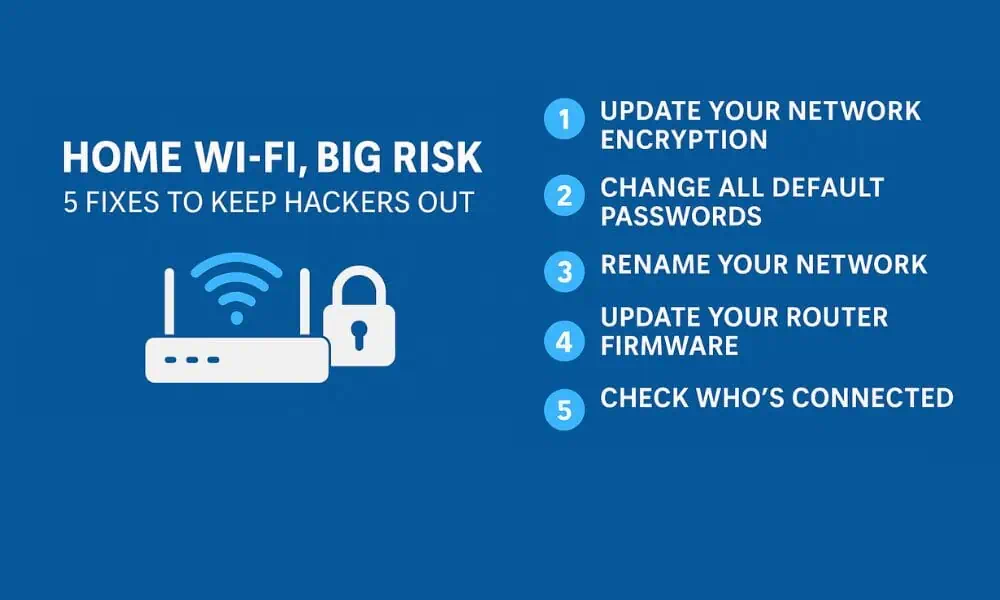
5 Easy Home Router Security Fixes (Takes <15 Minutes)
Changing the default password to a strong one that includes a mix of letters, numbers, and special characters is essential for keeping intruders at bay.
By renaming your SSID, you not only obscure your router’s model but also make it less appealing to attackers who are looking for easy targets.
Looking for a quick way to secure your home network?
Here are five expert-recommended router security tips anyone can apply — no tech skills required:
Regularly checking for firmware updates helps to protect against newly discovered vulnerabilities that hackers could exploit.
1. Use WPA2 or WPA3 Encryption
In addition to kicking off unfamiliar devices, consider implementing network monitoring tools that can alert you to unusual activity.
Still using WEP? It’s outdated and can be cracked in minutes. Switch to WPA2 or WPA3 in your router settings to use strong, modern encryption that protects your Wi-Fi traffic.
2. Change Default Router Passwords
It’s important to recognize that the security of your home router is now fundamental to your overall online safety and digital privacy.
To reinforce this, conducting a security audit of your home network can expose vulnerabilities that need immediate attention.
Additionally, consider using a Virtual Private Network (VPN) to add an extra layer of security when accessing the internet over your home network.
The default admin credentials (like “admin/admin”) are publicly available on the internet. Update both your router’s admin password and Wi-Fi network password to something long and unique.
3. Rename Your Wi-Fi Network (SSID)
Remember, proactive measures are key. The time you invest in securing your router today can prevent significant headaches in the future.
Avoid using the router’s default SSID, which often reveals the model — a clue for attackers. Rename it to something neutral, but don’t include your name, address, or other personal info.
4. Update Your Router Firmware
Firmware updates fix bugs and patch security holes. Log in to your router dashboard and check for updates — or enable auto-updates if available.
5. Audit Connected Devices
Check your router’s admin panel for connected devices. If you spot anything unfamiliar, kick it off and change your password. Regular device audits can catch intrusions early.
In conclusion, the importance of home router security extends beyond just your personal data; it encompasses your entire online presence.
For ongoing protection, regularly review and update your security measures as new threats emerge.
Why Cyber Resilience Now Includes Home Networks
As hybrid work becomes the norm, home routers are now part of your organization’s attack surface. Whether you’re a CISO, startup founder, or remote employee — securing your home network is basic digital hygiene.
In our vCISO work with startups and enterprises, TrustedCISO helps organizations implement secure configurations across the board — from cloud infrastructure to employee routers.
If your router is vulnerable, so is your business.
Remember: your first line of defense against cyber threats is your home router security.
Ultimately, ensuring robust home router security is a critical step in safeguarding not only your devices but also your life in this digital age.
Final Thoughts: Securing Your WiFi Router = Securing Your Life
You wouldn’t leave your front door unlocked. So why leave your Wi-Fi wide open?
Taking 15 minutes to secure your router could protect:
- Your remote work tools
- Bank logins and sensitive data
- Your family’s privacy
And if you’re building a resilient business, don’t stop there.
Explore our security readiness services for:
- SOC 2 Compliance Consulting
- CMMC Readiness
- ISO 27001 Certification Support
- StateRAMP & FedRAMP Guidance
Get the Full Cyber Resilience Playbook
Grab a copy of A CISO Guide to Cyber Resilience by Debra Baker — now available on Amazon
https://amzn.to/3Vt1g0o.